Passing worries:
- Wait, how many games of Solitaire did I just play?
- Hmm, how many games have I played in my life between PC and a deck of cards.
- Hell, how many bits would it take, ahh nevermind.
- Fuck it, another round!
An orange in an apple orchard
Passing worries:
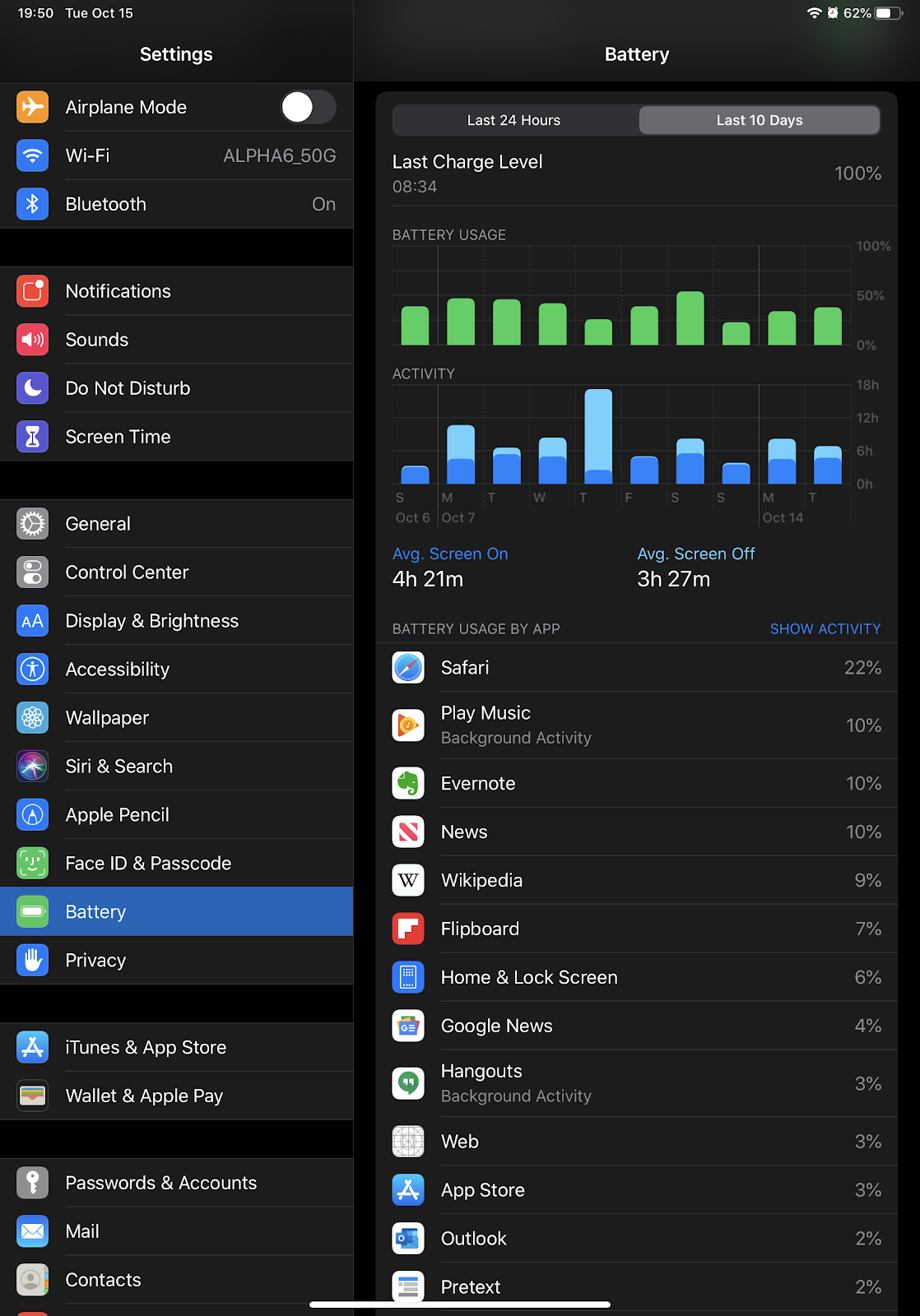
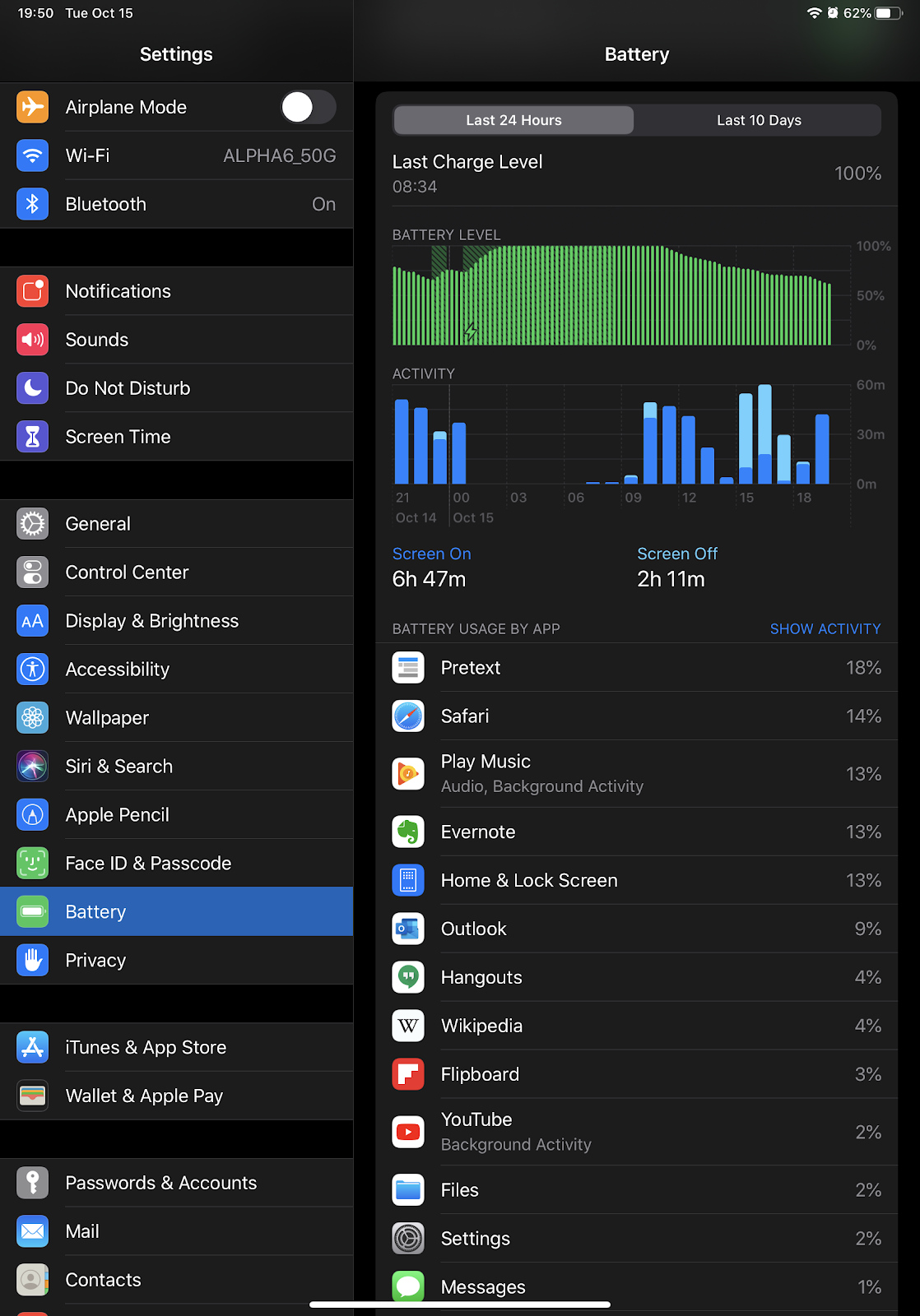
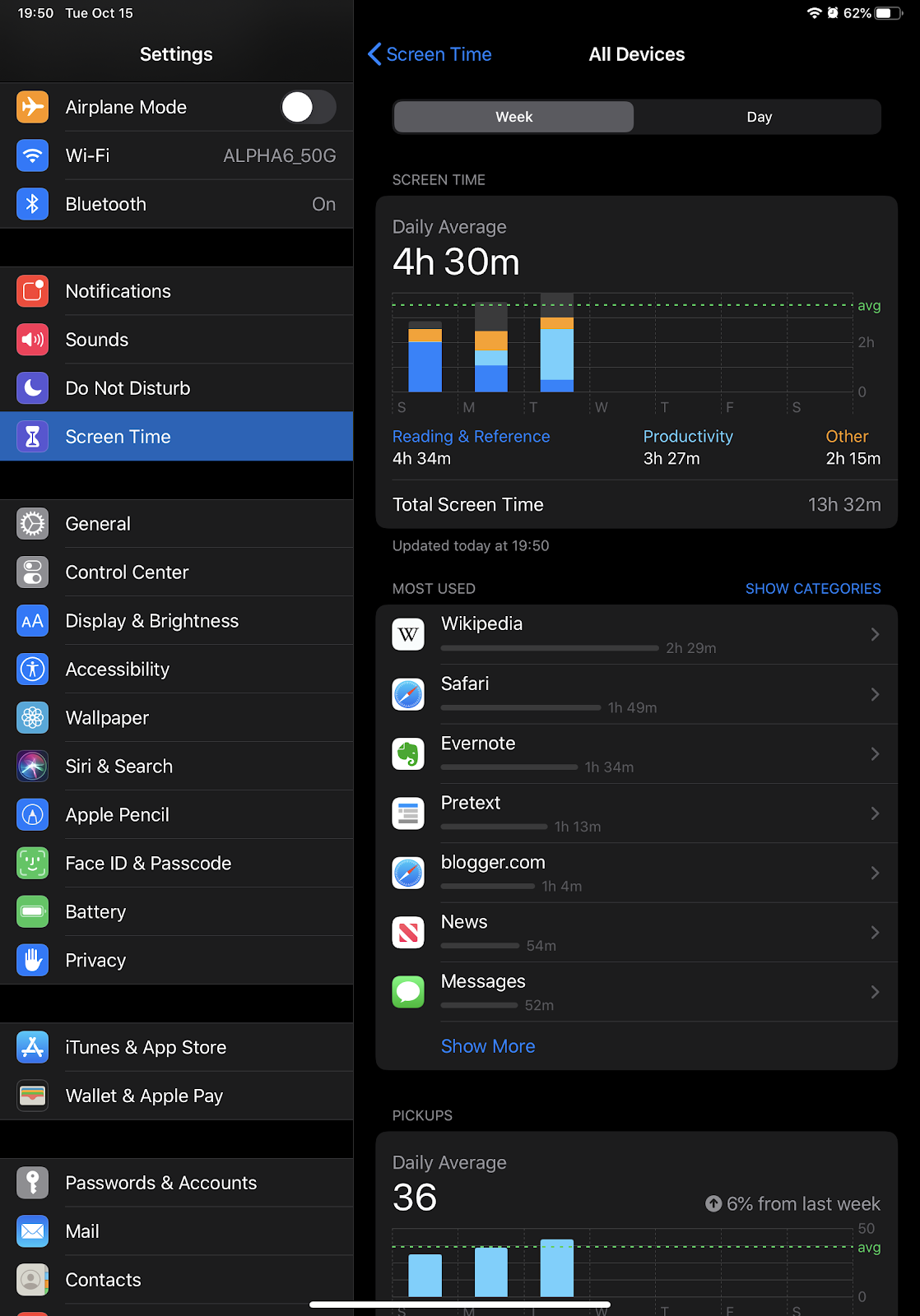
For the most part, battery life has not been a problem with this tablet.
An interesting little bit of calculation:
Apple iCloud: $0.99/month for 50 GB = $0.02/GB
Google Drive: $1.99/month for 100 GB = $0.02/GB
Box: $10/month for 100 GB = $0.1/GB
Office 365: $7.99/month for 1000 GB = $0.008/GB
Dropbox: $11.99/month for 2000 GB = $0.006/GB
Sorted by smallest to largest firsts storage option. I’d include Amazon but having trouble pulling up prices on that.
I can’t help but think the pricing makes the larger, less tiered options more attractive. The options from the competing phone nerds cost more per GB but offer the ability to have a lower monthly cost.
For comparison, standard 3.5”/7200RPM hard drives are about $0.045/GB for a 1TB drive at the local tech store. My file server costs probably about 45¢ a month on my electric bill, since it’s a low power N-series processor instead of an actually worth using CPU.
I’ve never had a very high opinion of Microsoft Outlook as a mail client, beyond the comprehensiveness of its rich text editing widget. Today I was kind of reminded why.
Email came in canceling a meeting. I hit the button to remove it from my Exchange calendar, and as typical the email just disappears upon interaction. Usually to trash or something.
Outlook continued to display a badge showing one unread email, or something. Yet I had no messages, no matter how many times I refreshed or tried to filter by unread. Nada.
Then I switched from my tablet to my laptop, and took a gander at Thunderbird and scratched my head. There was the cancellation message at the top, and it was marked unread. Even after whomping get messages.
Checked outlook and despite being excluded from the unread filter(!), there was same message at the foot of my inbox with the blue circle. Tried to load it and I get a message saying that it doesn’t exist, and lo and behold the problem is solved with one more sync….lol
At some point I need to find a mail client that sucks less than outlook, yet speaks Exchange mail, contacts, and calendaring. Sigh, I do miss Aqua Mail for Android: it was such a great client, I used it for both my personal and work accounts. Sadly though it is Android only, leaving me without a good iOS client for my tablet and with meh options for my Debian laptop.
I’m pretty sure that the optimal algorithm for maximizing number of dogs in a space is a quasi linear arrangement.
Until you get up, and then it’s whoever claims the warm spot first, lol
Safari in iOS 13 was sending browsing data to Chinese tech giant Tencent
http://flip.it/_rQW_A
I find it a little amusing in a way. Having had internet access since about 1996, I’ve long since gave up on considering my browsing habits to be private—it’s my browsing contents that I want kept private.
Between how browsers work and how much control we yield to the other end of a socket, I think it fool hearty to assume you can remain private about the basics. If you have ever visited a web site in recent times, it’s a fairly safe bet that someone, somewhere can collate a unique identifier for you across several websites. Yielding things like your IP and resources (you know, the /blah/blah part of urls you visit) are integral to how user agents (browsers) and servers work. Cookies have been a fact of browsing virtually forever. You don’t have enough control over how any of this shit works, to be able to enforce strict privacy from being tracked.
Anonymity is the difference between sending the Gestapo to 742 Evergreen Terrace and f24088cc-4914-43ab-9810-07cdc069ebac visited five websites about donuts, and then logged into Yahoo mail; let’s ask Yahoo about them.
What we do however have some control over is the secrecy of our session content. Transport Layer Security, ala HTTPS, provides for some measure of privacy where it matters in our browsing. Nothing is going to stop donuts dot com from using an obvious /glazed resource for finding out about glazed donuts, but telling that you typed “HJS” into the search box and it popped up a super secret bulk ordering form, and your transaction details, is a different story. The security measures make it harder for someone to be dropping eaves if the other side is trustworthy; not being tracked is just hopeless at this point.
I have more hope in solutions that are technical and procedural in nature. Because if you can’t trust donuts dot com with where to bill and ship donuts then you probably shouldn’t be ordering donuts from them. If donuts dot com isn’t allowed to do business in your country without being obligated to offer up your payment data to the request of law enforcement, or pushing it to government donut databases, that’s a social problem and therefore political.
For better or worse there’s only so much that can be done on a technical front without changes to how the World Wide Web functions, and that shit just isn’t going to change for the sake of personal privacy.
Internet Archive releases 2,500 MS-DOS games so you can relive the ’90s
Part of me thinks it would be worth passing the list fit anything great, part of me thinks I have enough games to last me several lifetimes as it is….
If Willow ran things around here:
Pecking orders would be abolished in favor of individual feed trays, refilled every quarter of the day.
Semi automated treat dispensers would be installed on each wall and kept full at all times.
Additional reservations on comfy nappy spaces for the furry one in charge.
By contrast if Misty ran things, all foods would be belong to her.
Tapped the notification and was greeted with this view of the Tips app:
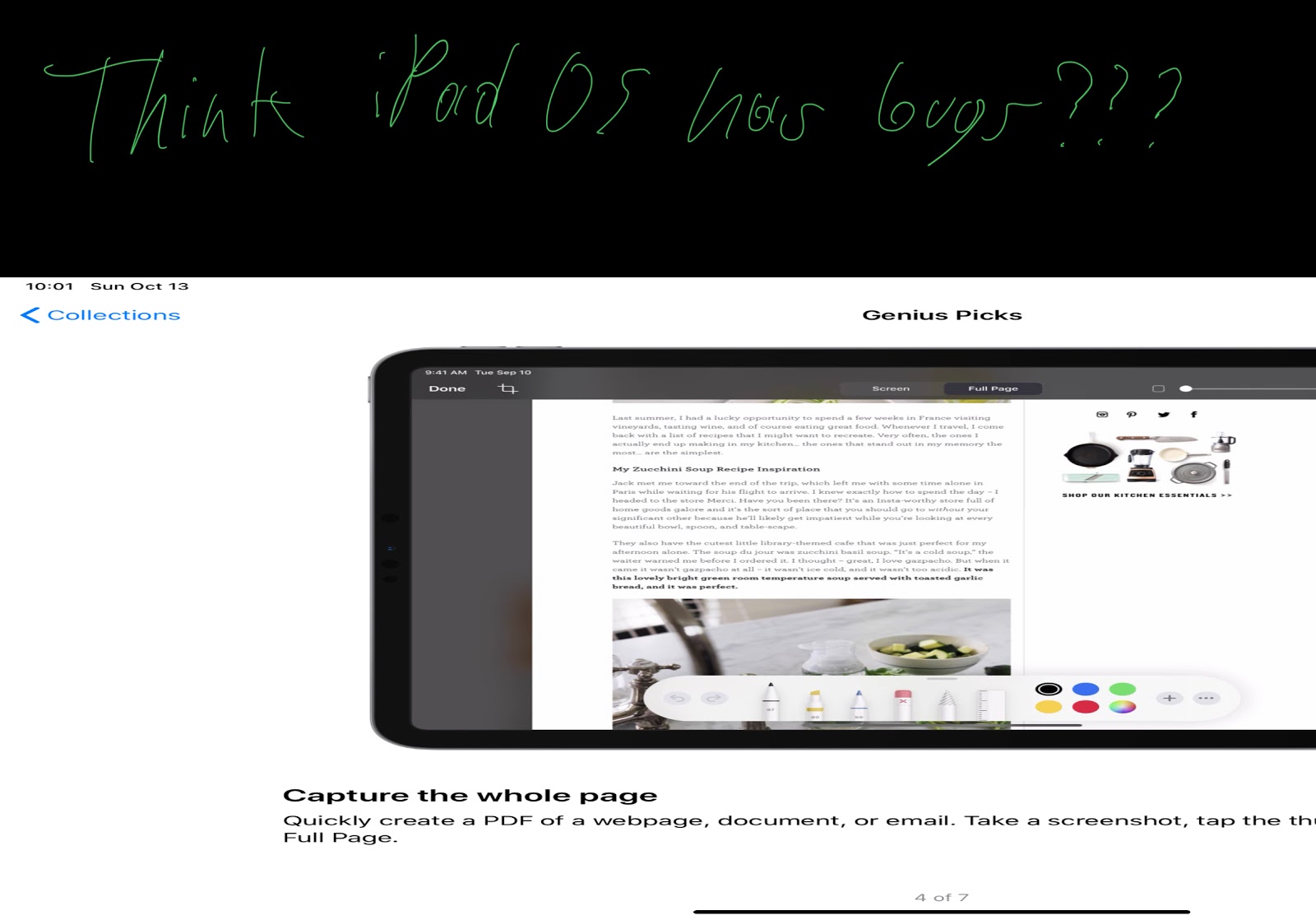
After annotating the screenshot it remained glitched, but did recover when I changed orientation to portrait and then back to landscape.
Came expecting a B-Movie with a few laughs, and found The Night Watchmen (2017) to be a pretty freaking great movie. Seriously, watch it. Now!